

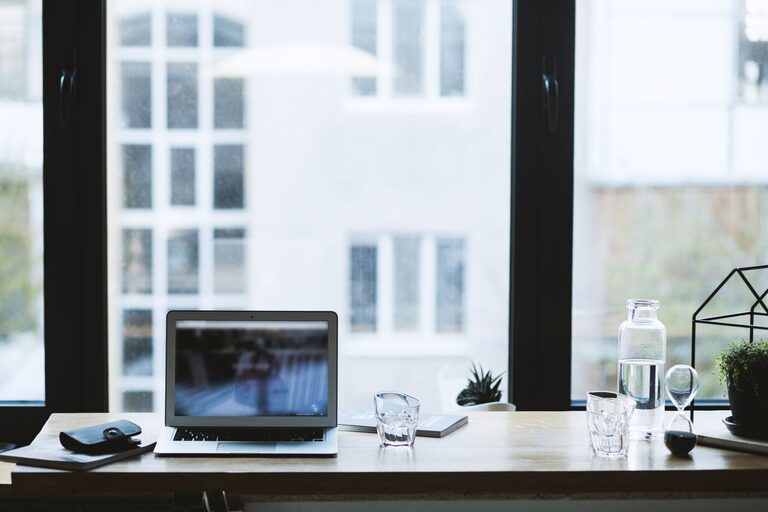
Creating a productive home office environment is key to maintaining focus and efficiency while working from home. Whether you’re a freelancer, remote employee, or simply need a dedicated space for tasks, shaping your workspace thoughtfully can greatly impact how you perform each day. In this post, we’ll explore practical tips to help you build a home office that enhances productivity, comfort, and well-being.
Choose the Right Location
Selecting the ideal spot for your home office sets the foundation for your workspace. Consider these factors:
– Quiet area: Pick a room or corner away from household noise such as TV, kitchen, or busy hallways.
– Natural light: Aim for a space near a window to gain natural daylight, which improves mood and alertness.
– Ventilation: Ensure proper airflow for fresh air, helping you stay comfortable and focused.
– Space: Your chosen spot should be large enough to accommodate your desk, chair, and any necessary equipment.
If space is limited, use room dividers, screens, or curtains to separate your office zone from the rest of the home visually.
Invest in Ergonomic Furniture
Comfort is crucial for long hours at your desk. Invest in ergonomic furniture to prevent discomfort and potential health issues:
– Ergonomic chair: Choose a chair that supports your lower back and encourages good posture. Adjustable height and armrests can make a big difference.
– Desk at the right height: Your desk should allow your arms to rest at a 90-degree angle when typing. Adjustable desks or sit-stand desks offer flexibility.
– Monitor placement: Position your computer screen at eye level and about an arm’s length away to reduce neck strain.
Adding a footrest or cushions can provide extra support as needed.
Organise Your Workspace Efficiently
Clutter and disorganisation can hinder productivity. Keep your workspace tidy and functional:
– Declutter surfaces: Limit the number of items on your desk to essentials such as your computer, notepad, and pen.
– Storage solutions: Use shelves, drawers, or filing cabinets to store paperwork and accessories neatly.
– Cable management: Use clips, sleeves, or ties to organise cables and keep them out of the way.
– Keep supplies handy: Have frequently used items within reach to avoid interruptions in workflow.
Regularly set aside time to clean and organise your space.
Optimise Lighting for Comfort and Focus
Lighting significantly impacts your ability to work comfortably:
– Use natural light whenever possible: Natural light reduces eye strain and lifts your mood.
– Add task lighting: A desk lamp with adjustable brightness helps illuminate documents and keyboard areas.
– Avoid glare: Position screens perpendicular to windows and use blinds or curtains to control sunlight.
– Choose the right bulbs: Opt for daylight bulbs (around 5000K) that mimic natural daylight to reduce eye fatigue.
Balancing ambient and task lighting creates a well-lit, cosy environment.
Minimise Distractions
Maintaining focus at home can be challenging with various distractions around. Use these strategies:
– Set clear boundaries: Let family or housemates know your work hours and need for quiet.
– Use noise-cancelling headphones: These can help block disruptive background sounds.
– Limit digital interruptions: Turn off non-essential notifications and use apps to manage screen time.
– Create a “start work” routine: Rituals like making a cup of tea, dressing up, or organising your desk can signal the brain to focus.
Consider background music or white noise if it helps your concentration.
Incorporate Personal Touches
While productivity is important, a workspace should also feel inviting:
– Add plants: Indoor plants improve air quality and add a calming atmosphere.
– Display motivational items: Photos, quotes, or artwork can inspire and boost mood.
– Choose colours wisely: Soft, neutral tones are calming, but splashes of brighter colours can energise.
– Use comfortable textiles: Cushions, rugs, or curtains add warmth to your office.
Creating a space you enjoy spending time in encourages positivity and productivity.
Take Regular Breaks and Move
Sitting for long hours can harm your health and reduce efficiency:
– Use the Pomodoro technique: Work for 25 minutes, then take a five-minute break to rest your eyes or stretch.
– Stand and move: If possible, switch between sitting and standing or take short walks around your home.
– Stay hydrated: Keep water nearby and drink frequently to stay alert.
Moving regularly helps maintain focus and reduces fatigue.
Use Technology Wisely
Leverage technology to enhance your home office setup:
– Reliable internet connection: Ensure your internet is strong and stable for uninterrupted work.
– Productivity tools: Use calendar apps, project management software, or note-taking tools to organise tasks.
– Backup solutions: Safeguard important files with cloud storage or external drives.
– Ergonomic accessories: Wireless keyboards or mice can reduce strain and add convenience.
Regularly update your software and hardware to maintain efficiency.
—
Creating a productive home office environment is about balancing comfort, organisation, and focus. By choosing the right space, investing in ergonomic furniture, managing distractions, and personalising your setup, you can build a workspace that supports your work and wellbeing. Remember, small changes can make a big difference in how you feel and perform each day.